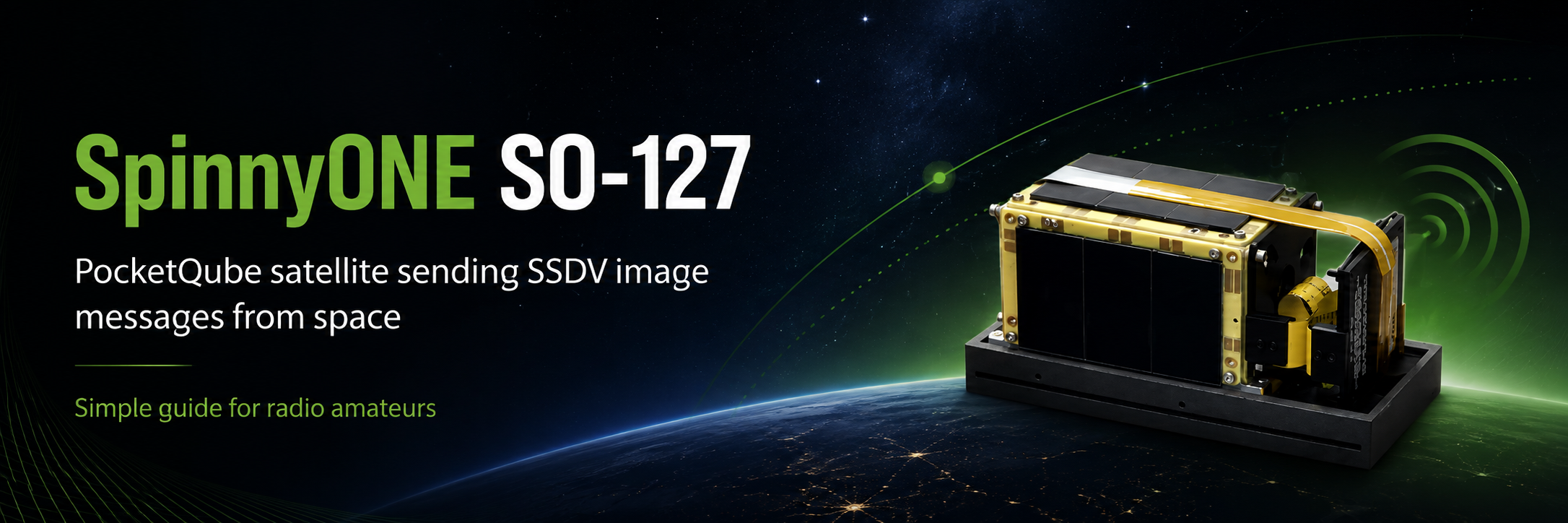
🛰️ SpinnyONE SO-127 — Receiving Pictures from a Pocket-Sized Satellite
Imagine receiving a photograph directly from a satellite that is small enough to sit in your hand. That is exactly what makes SpinnyONE / HADES-SA / Spain-OSCAR 127 so much fun. It sends digital pictures, telemetry and even compressed voice over amateur radio.
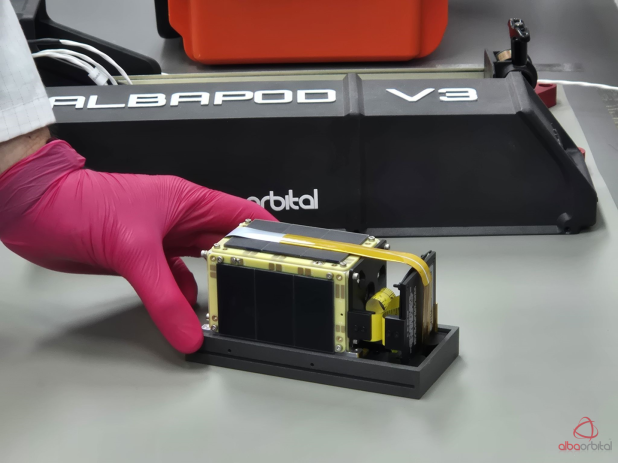
What exactly is SpinnyONE?
SpinnyONE is a very small amateur-radio satellite. It belongs to the PocketQube family: satellites that are much smaller than the better-known CubeSats.
Inside this little spacecraft are the usual satellite systems for power, radio and control, but also a digital camera payload. That camera can take pictures and the satellite can send those pictures back to Earth using amateur-radio frequencies.
SSTV or SSDV — what is the difference?
The pictures from SO-127 are not ordinary analogue SSTV such as Martin 1, Martin 2, Scottie or Robot 36.
With normal SSTV, the radio signal contains a continuous stream of audio tones that paints the picture line by line. If part of the signal is weak, you often see noise or a damaged stripe directly in the received picture.
SSDV works differently. The picture is first turned into digital data. That data is split into many small packets and transmitted separately. Your computer collects the packets and rebuilds the picture.
If some packets are missed, you may still get a partly complete image. Another ground station may have received packets that you missed, which is one of the reasons satellite reception can become a very social part of amateur radio.
What does SO-127 transmit?
The satellite uses digital FSK transmissions. In simple terms, FSK means the transmitter changes between two closely spaced audio or radio tones to represent digital ones and zeros.
| Telemetry | Information about the satellite itself, such as voltages, temperatures, power and operating status. |
|---|---|
| SSDV pictures | Digital camera images divided into packets and rebuilt on the ground. |
| Codec2 voice | Speech compressed into a very small amount of digital data so it can be transmitted efficiently. |
| BBS / messages | Digital message functions are also part of the satellite design. |
The frequency to listen on
The main downlink is:
Downlink: FSK digital transmissions.
AMSAT-EA documents rates of 200 to 1600 bit/s, with 800 bit/s being an important operating rate.
For decoding with the commonly used amateur software, operators normally listen in USB. This gives the decoder the two FSK tones as clean audio.
Remember that the satellite is moving very quickly relative to your station. The received frequency therefore changes during a pass because of Doppler shift. With an SDR you can follow this by tuning gradually, or let satellite-tracking software control the receiver.
What do I need?
- A receiver or SDR that covers 436.875 MHz.
- A 70 cm antenna. Even a simple antenna can work on a good overhead pass, but a directional antenna gives you a much better chance.
- Satellite tracking software or another way to know when SO-127 is above your horizon.
- Audio from the receiver into the computer. SDR users normally do this with a virtual audio cable.
- A decoder such as the modified UZ7HO SoundModem used for the HADES family.
- The AMSAT-EA / community SSDV utilities to rebuild received picture packets.
A simple receive setup
- Check when SO-127 will pass over your location.
- Tune your SDR or radio near 436.875 MHz USB.
- Start recording the pass if possible. A recording is very useful because you can try the decoder again later.
- Feed the receiver audio into the HADES-compatible SoundModem.
- Let the decoder save the received telemetry and binary data packets.
- Take the received SSDV packet files and run the SSDV utility for the matching image number.
- If enough packets were received, the software creates the picture.
This sounds more complicated than receiving normal SSTV, but after the first successful decode the idea becomes very clear: receive packets, collect them, rebuild the picture.
Why does a strong signal sometimes still fail?
Satellite digital signals can be a little unforgiving. A signal may look strong in the waterfall while the decoder still misses packets.
Common reasons are Doppler tuning, audio levels, filtering that is too narrow, an incorrect demodulation mode, fading caused by the satellite rotating, or simply a short period where the antenna points less favourably toward your station.
Do not throw away a pass just because the live decode was poor. Save the audio or IQ recording. Radio amateurs in the Libre Space community have repeatedly been able to decode useful packets from recordings afterwards.
Why this belongs on SlowscanTV
SlowscanTV is mainly about Slow Scan Television, but the spirit behind SO-127 is very familiar: use amateur radio to receive a real image sent over the air.
SSDV is a modern digital cousin of the picture modes we already enjoy. Instead of listening to the familiar SSTV warble while a picture slowly appears, you watch digital packets arrive and then see the computer build the photograph from those pieces.
Same fascination. Different technology. And this time the transmitting station is travelling around the Earth.
Technical details at a glance
| Name | HADES-SA / SpinnyONE |
|---|---|
| OSCAR designation | Spain-OSCAR 127 (SO-127) |
| Downlink | 436.875 MHz |
| Uplink | 145.875 MHz |
| Downlink modulation | FSK |
| Documented data rates | 200, 800 and up to 1600 bit/s by telecommand |
| Picture system | SSDV digital camera packets |
| Other data | Telemetry, Codec2 voice and BBS/message data |
Useful sources and further reading
Satellite modes and software can change, so always check the current mission information before a pass.